Devices and samples
All experiments in Balthazar are associated with one or more Devices (also referred to as samples).
To start a Flow, at least one Device must be selected.
Creating a Device
A Device represents a physical or virtual object under test. Devices can be created either through the user interface or programmatically via a Python Flow.
1. Open the Devices page
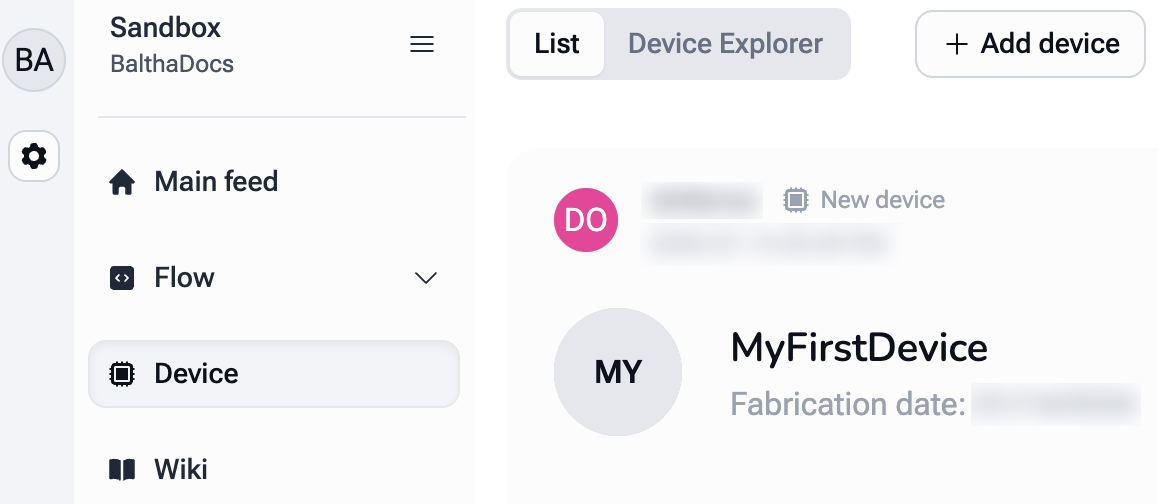
Open Devices in the sidebar and click the Add device button at the top of the page.
2. Enter Device details
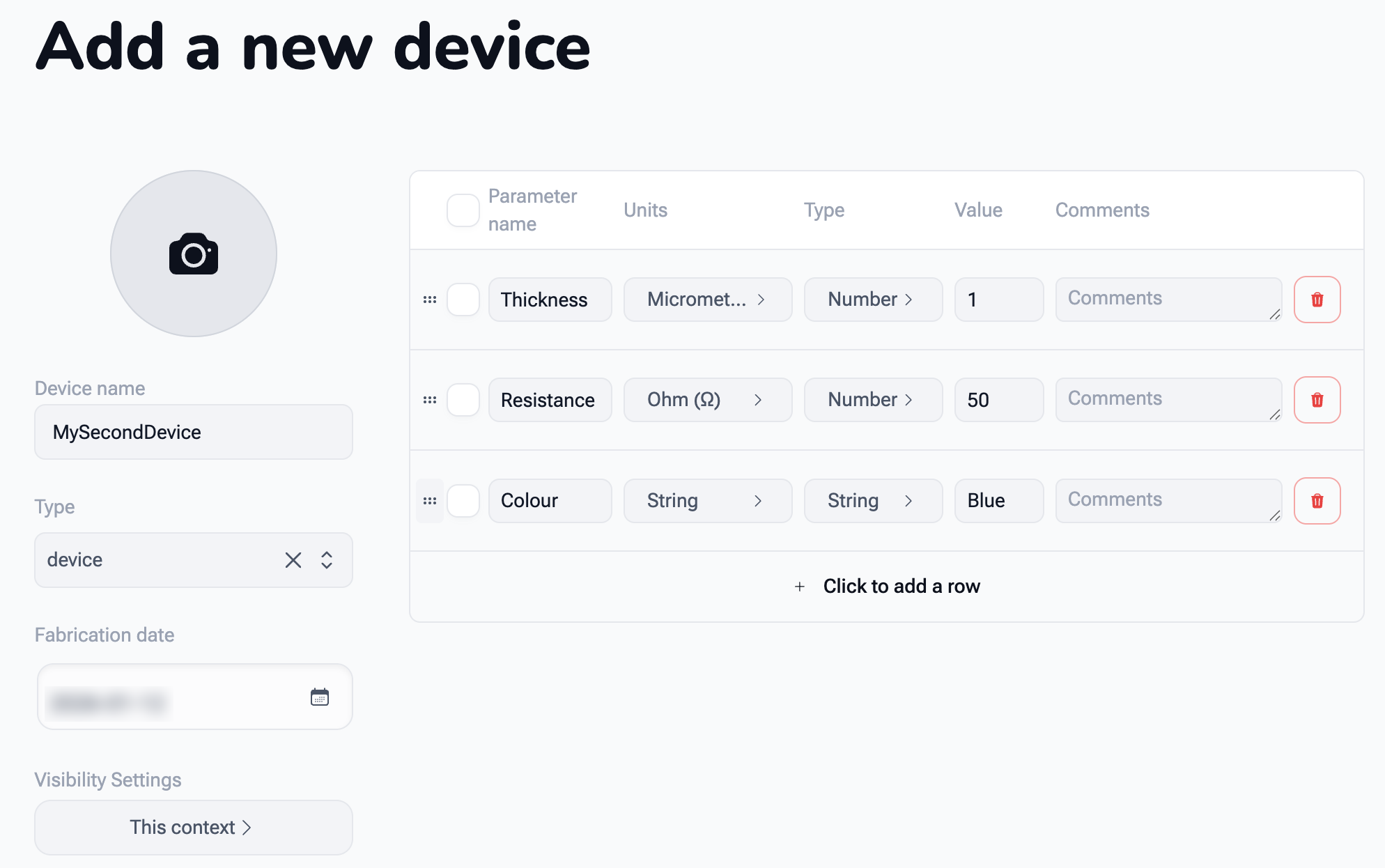
Only the Device name is required; everything else is optional:
-
Device name
Choose a unique and descriptive name for the Device. -
Fabrication date
Select the date on which the Device was fabricated (future dates are not allowed). -
Device description, Type, an image, and Visibility
Extra details about the Device and who can see it. -
Parameters table
Define key Device properties such as Thickness, Resistance, or Colour. Add a row with Click to add a row, then fill in the Parameter name, Units, Type, Value, and Comments.
Parameters are searchable and can be compared across different Devices.
Click the Add device button at the bottom-left of the form to create the Device.
3. Device appears in the list
After creation, the Device appears in the Device list. Show parameters on each card displays its parameters.
The Runs performed on a Device are listed on the Device's own page.
Adding Devices via a Flow
Devices and their parameters can also be created programmatically using a Flow.
This approach is especially useful when creating a large number of Devices at once.
Example: Creating multiple Devices
import balthazar as blt
import datetime

# Create 5 Devices
for i in range(5):
    dev = blt.Device(
        f"MyNewDevice_{i}",  # Device name
        fabrication_date=datetime.datetime(2026, 1, 1, 10, 30, 0),
        description="Added by a Flow",
        image_id=None,  # Optional Device image
        tags=["MyTag", "AnotherTag"],  # Optional tags
        params={"Thickness": 5, "Length": 1}  # Optional parameters
    )

    # Print details of the created Device
    print(dev.name, dev.tags, dev.params)
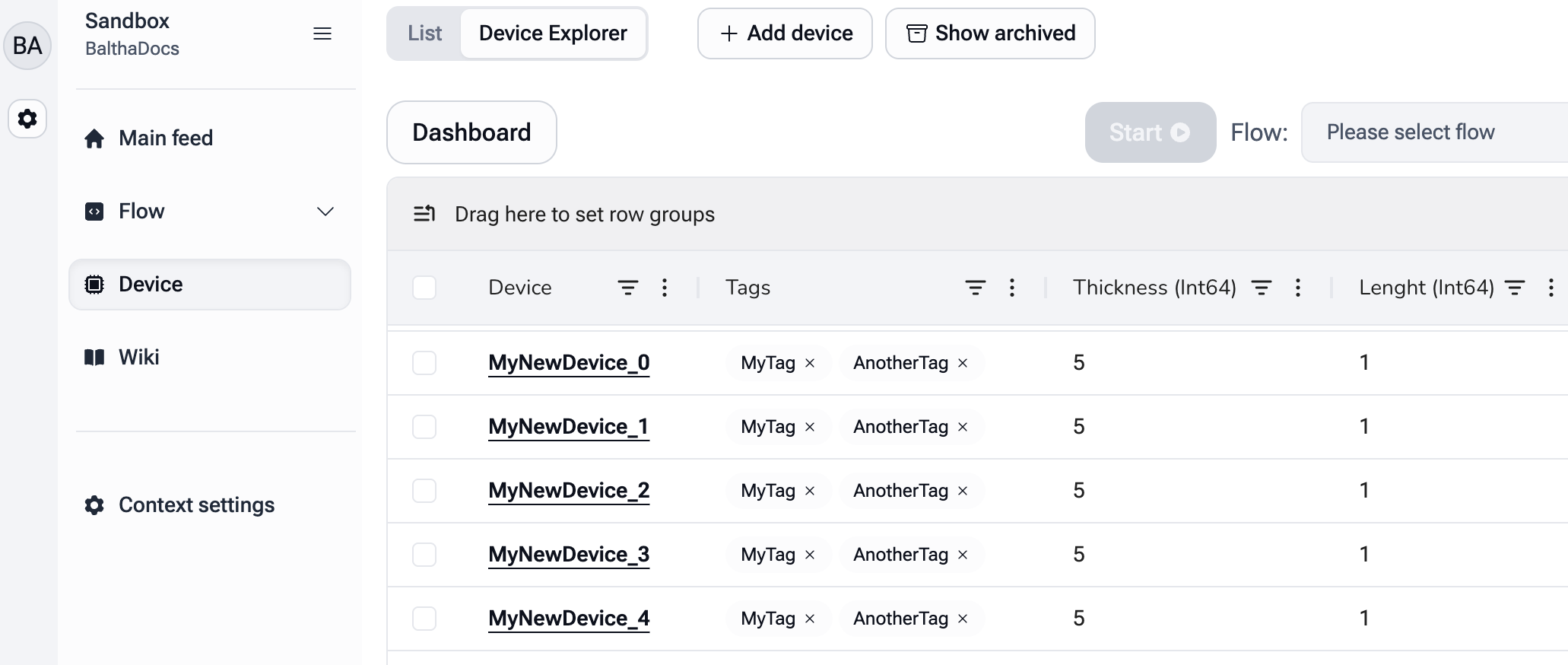
The newly created Devices can be viewed in the Device Explorer.
Accessing Devices in a Flow
When starting a Flow, one or more Devices must be selected. Information about the selected Devices can be accessed programmatically. It is also possible to retrieve all Devices available in the current Context, including archived ones.
import balthazar as blt

# Devices selected in the current Flow
devices_in_flow = blt.devices
for dev in devices_in_flow:
    print(dev.name, dev.tags, dev.params)

# All Devices available in the current Context
all_devices = blt.search_devices()
for dev in all_devices:
    print(dev.name, dev.tags, dev.params)